5 Heitzinger Plz, Seaside, CA 93955
Location

Get Directions

5 Heitzinger Plz, Seaside, CA, 93955

How to Set Up Apple Carplay® and Android Auto™

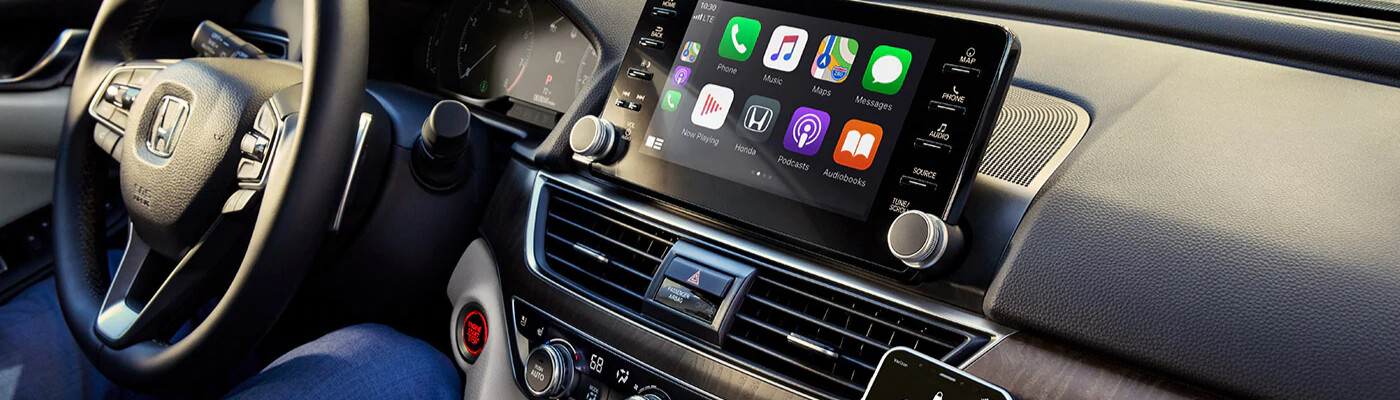
Apple CarPlay in a 2021 Honda Accord


If you want to make the most of the technology features of your Toyota, you’ll need to know how to connect Apple CarPlay® or how to use Android Auto™ Wireless. Luckily, the team at Victory Toyota makes it easy for you to set up and enjoy these handsfree technologies in your new or used Toyota with our simple instructions below!


How to Connect Apple CarPlay® With a USB

  1. Turn on your vehicle
  2. Turn on Siri
  3. Connect your phone to your Toyota using the Apple USB cord (you’ll find off-brand cables can sometimes cause problems with disconnecting.)
  4. Use Siri by holding down the voice command button on your steering wheel and saying your voice command.

How to Connect Apple CarPlay® Wirelessly on a Toyota

  1. Find the Settings on your iPhone
  2. Choose “General”
  3. Choose “CarPlay”
  4. Start Bluetooth® if prompted
  5. Select “Enable Wireless CarPlay”
  6. Pair your device with your car by pressing and holding the voice button on your steering wheel or selecting the option from the stereo system’s menu

How to Use Android Auto™ Wireless on Toyota (w/USB setup)

To use this process, you’ll require a USB cord. If you don’t have one, you can find instructions for how to use Android Auto™ without a USB in the next section.

  1. Start your engine
  2. Enable Bluetooth®, Wi-Fi, and Location Services on your phone
  3. Check that Android Auto™ is installed on your phone (this built into Android 10.0 and later)
  4. Make sure your car is in Park
  5. Connect your phone to your car’s USB port
  6. Follow the on-screen instructions to complete the setup
  7. Tap Android Auto™ on your car display to start a wireless connection

How to Use Android Auto™ Wireless

For those who prefer not to work with a USB, you’ll find our how to use Android Auto™ Wireless below:

  1. See if your phone is running on Android 6.0 (also known as Marshmallow) or later
  2. Check that Android Auto™ is installed on your phone (this built into Android 10.0 and later)
  3. Open Android Auto™ on your device
  4. Use Bluetooth® to pair the phone with your car
  5. On the car’s display, select the Android device to auto-launch Android Auto™

Find More Technology Assistance at Victory Toyota

Can’t seem to figure out how to connect Apple CarPlay®? Are you struggling with how to use Android Auto™ Wireless? Our service center is only a short drive from Watsonville! Schedule an appointment today to get any technical help that you need.


More from Victory Toyota

  • 2026 Toyota GRMN Corolla: The Ultimate Track-Focused Hatchback Has Arrived

    Toyota has officially raised the bar for performance hatchbacks with the introduction of the 2026 GRMN Corolla, a machine engineered for enthusiasts who want a genuine motorsport experience every time they get behind the wheel. Built under Toyota GAZOO Racing’s philosophy of creating “better cars through motorsport,” the GRMN Corolla isn’t just another special edition….

  • What Can You Afford? A Step-by-Step Car Budgeting Guide

    Buying a vehicle is exciting, but before you start shopping for your next car, truck, or SUV, it’s important to understand what fits comfortably within your budget. Knowing how much you can afford can help you narrow your options, avoid financial stress, and shop with confidence. Whether you’re purchasing your first vehicle or upgrading to…

  • How 0% APR Deals Work (And Why They Save You More Than You Think)

    Buying a new vehicle is a major investment, and financing plays a big role in the total amount you’ll pay overtime. That’s why 0% APR financing offers can be such a valuable opportunity for car shoppers. While these promotions may seem straightforward, many drivers don’t realize just how much money they can save compared to…

Saved Vehicles

You don't have any saved vehicles!

Look for this Save icon

Once you've saved some vehicles, you can view them here at any time.

Menu

Victory Toyota 36.611526, -121.847475.
×